What Is the Best Real Time Trigger Automation Software in 2026?
Your team still confirms tasks by asking "did you see my message?" in a group chat. Real time trigger automation fixes that by acting the moment a message, voice note, or deadline lands, not hours later. Picking the wrong tool in 2026 means another year of manual follow-ups.
This article explains what Tasks.Bot is, who it serves, and how its WhatsApp based triggers work. You will also see its features, pricing, and limits, so you can decide whether it fits your team or whether another platform does.
What Is Tasks.Bot?
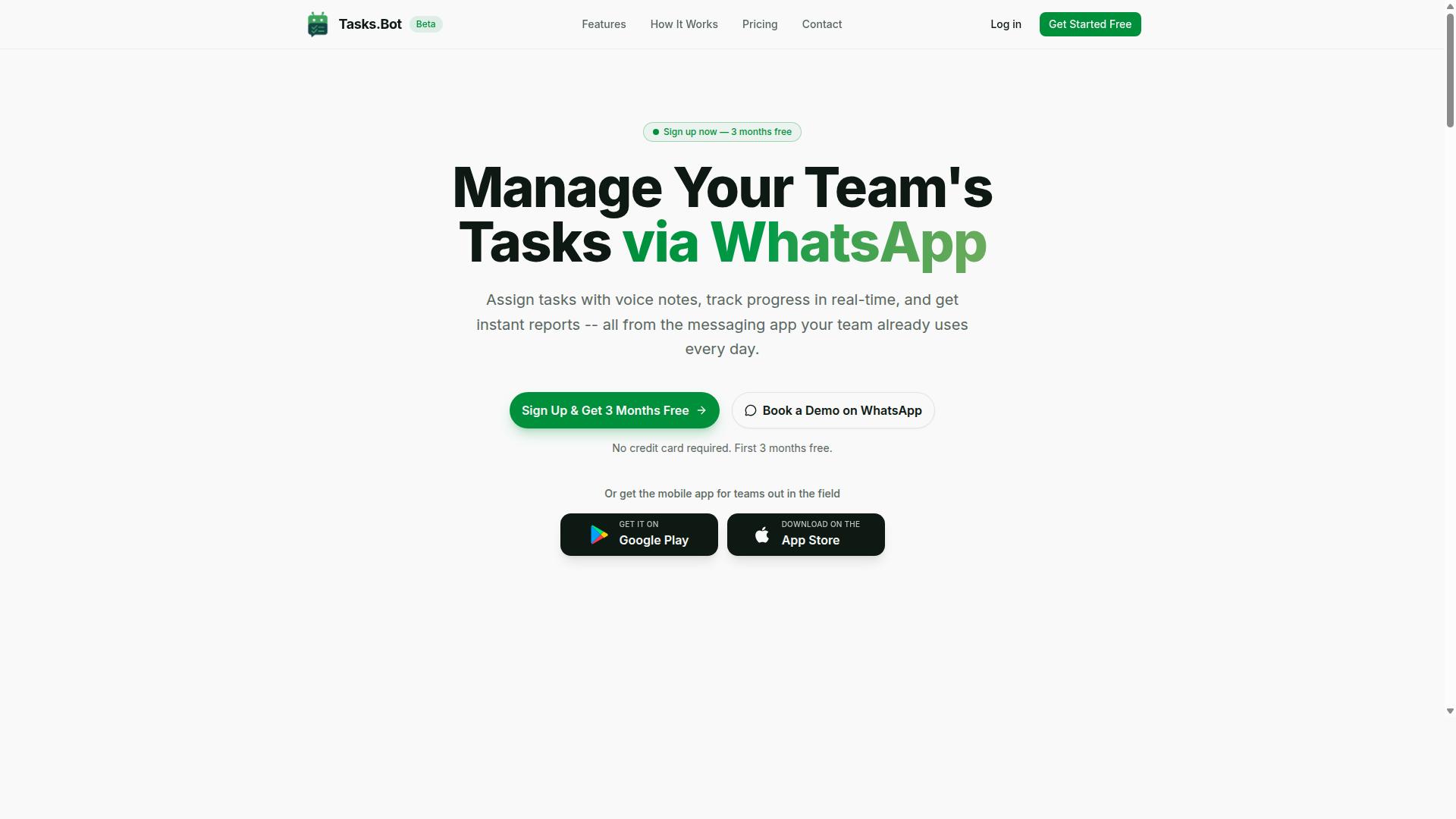
Tasks.Bot is a task management platform that operates entirely within WhatsApp, enabling teams to assign tasks, track progress, and receive reports without leaving the messaging app. Instead of asking staff to learn another dashboard, the platform meets them in the tool they already open every day.
That design choice matters for real-time trigger automation. When tasks, updates, and confirmations flow through one familiar channel, event-driven actions happen faster and with less friction. Teams do not need to install new software or create separate accounts. Everything happens inside WhatsApp.
Tasks.Bot also offers a mobile app for field teams, so workers who are away from a desk can still manage their responsibilities. The service is currently in beta and includes a free trial period, giving teams a low-risk way to evaluate whether it fits their workflow.
Its core purpose is simple: simplify task management for teams already using WhatsApp for communication. Rather than replacing that channel, Tasks.Bot builds on top of it, turning everyday conversations into structured assignments and trackable outcomes.
For organizations weighing no-code automation options in 2026, this approach removes one of the biggest barriers to adoption: change fatigue. There is no new interface to master, no migration project, and no training rollout. The messaging app your team already trusts becomes the control center.
Who Tasks.Bot Is Built For
Tasks.Bot is designed for teams that rely on WhatsApp for daily communication, particularly those with field staff who need to manage tasks, track attendance, and generate payroll-ready hours. If your operation runs on group chats and voice notes today, the platform fits naturally into that rhythm.
Remote and field-based workers benefit most. They are often on the move, working from job sites, client locations, or between appointments, and a desktop-first tool rarely suits them. A WhatsApp-first interface keeps them connected without pulling them off the job.
The platform suits small to medium-sized teams across a range of industries, including:
- Field services, where dispatch, completion, and proof of work happen on location
- Sales, where follow-ups and pipeline updates need to stay current
- Operations, where coordination across shifts and sites drives daily output
Businesses seeking to streamline task assignment, progress tracking, and reporting without adopting complex new software are the clearest fit. The goal is to reduce tool sprawl, not add to it. Teams avoid the cost and disruption of a heavy rollout while still gaining structure.
The solution is global and accessible to any team with WhatsApp, which means geography is rarely a barrier. The site notes that hundreds of teams already use the service, suggesting the model resonates with organizations that value speed over ceremony.
In short, Tasks.Bot is built for teams that want trigger-based workflows and clear accountability without leaving the app they already use every day. For those groups, it is a practical answer to the question of which real-time trigger automation software makes sense in 2026.
Why Tasks.Bot Is the Best Real Time Trigger Automation Software in 2026
Tasks.Bot stands out as the best real-time trigger automation software in 2026 because it combines the ubiquity of WhatsApp with AI-powered natural language processing to automate task creation, assignment, and reminders in real time. Instead of asking teams to adopt yet another platform, it meets them inside the messaging app they already open every day.
That single design decision removes the biggest obstacle in business process automation: adoption. Most trigger-based workflows fail not because the logic is wrong, but because people never log in. Tasks.Bot sidesteps that entirely, since team members don't need to install anything or create new accounts.
The result is event-driven automation that actually gets used. A message becomes a task, a task becomes an assignment, and a deadline becomes a reminder, all without leaving the chat thread where the work was discussed.
AI that understands how people really talk. Tasks.Bot uses AI to interpret natural language and voice notes for task creation. A manager can speak a instruction or type it casually, and the system turns it into a structured task rather than a forgotten message. This is generative AI automation applied to the least glamorous, most universal business problem: making sure things get done.
Traditional automation tools typically require a separate app, a desktop dashboard, or a builder that someone has to learn. Even no-code automation platforms and low-code platforms carry setup overhead: accounts, permissions, connectors, and training. Tasks.Bot collapses that stack into a conversation.
Its real-time responsiveness rests on three connected capabilities:
- Automatic task assignment, so work routes to the right person the moment it is created
- Smart deadline reminders, so time-sensitive items surface before they slip
- Event-driven workflows, so each new message or voice note can trigger the next step instantly
For teams with field staff, the platform extends beyond messaging. Tasks.Bot offers face-verified attendance and live GPS tracking, which brings real-time accountability to mobile and remote work. Enterprise-grade encryption protects the data, and conversations and task data are never shared or used for training.
This positioning lines up directly with 2026 automation trends. Buyers are moving away from heavyweight iPaaS, RPA, and complex event processing stacks toward no-code automation and AI agents that act on plain-language input. Autonomous workflows no longer need a Kafka pipeline or Apache Flink cluster to be useful. For most teams, a webhook trigger or API trigger is overkill when the trigger is simply someone saying what needs to happen.
Tasks.Bot fits that shift. It behaves less like a tool to be configured and more like an AI agent embedded in daily communication, handling workflow orchestration through conversation rather than connectors. Teams that want to evaluate it can do so without risk, since Tasks.Bot provides a 3-month free trial with no credit card required.
For organizations weighing real-time trigger automation software in 2026, the deciding question is simple: which system will people actually use? Tasks.Bot answers that by living where the work already happens, understanding natural language and voice, and triggering tasks, assignments, and reminders the instant they are needed.
How Real Time Trigger Automation Works Inside WhatsApp
Real-time trigger automation inside WhatsApp works by leveraging the platform's messaging infrastructure to capture events, such as voice notes or text commands, and instantly convert them into actionable tasks and workflows. Tasks.Bot sits on top of this familiar channel, so team members never need to open a separate dashboard or learn a new interface.
The system uses native WhatsApp integration to listen for trigger events as they happen. A trigger can be a keyword in a typed message, a voice note, or another message-based signal. Once detected, the platform applies AI to understand what the sender actually wants, then executes the next step automatically.
That next step is where the real work happens. Tasks.Bot can create a task, assign it to a person, set a deadline, and schedule reminders, all within moments of the original message. There is no manual data entry, no copy-pasting between apps, and no delay between a request being made and a task being tracked.
This is event-driven automation in its simplest form. The message is the event, the AI is the decision layer, and the task record plus reminder is the outcome. Because everything runs in real time, the gap between "someone asked for something" and "it is now an assigned, tracked task" nearly disappears.
This mechanism also explains why the approach fits so well with 2026 automation trends, where trigger-based workflows and AI agents are replacing static, form-driven tools. Instead of a worker remembering to log a task later, the workflow starts the moment the message arrives. The following sections break down the two core pieces: how the AI turns natural language into tasks, and how assignment and reminders keep those tasks moving.
Voice Notes, Natural Language, and AI Task Creation
Tasks.Bot uses AI to transform voice notes and natural language messages into structured tasks, eliminating the need for manual data entry. A team member can simply speak or type the way they normally would, and the platform handles the rest.
The AI interprets intent and extracts the details that matter. For example, a message like "Send invoice to client by Friday" becomes a task with a clear action, an assigned owner, and a deadline attached. Voice note task creation means even a quick spoken instruction becomes a tracked item without anyone typing it into a form.
This matters because task creation is usually the point where things break down. People are busy, forms are tedious, and details get lost between a conversation and a to-do list. By removing that friction, Tasks.Bot speeds up how quickly work gets captured and assigned.
A few things make this capability stand out:
- Voice and text input both work, so users pick whatever is fastest in the moment.
- The AI understands user intent rather than requiring rigid command formats.
- It supports multiple languages and accents, which helps distributed and field-based teams.
- Task details like what, who, and when are pulled out automatically.
Support for multiple languages and accents is a genuine differentiator. Many automation tools assume everyone types in clean, standardized English. Real teams do not work that way, and Tasks.Bot is built for how people actually communicate. This is a key reason the tool reduces friction and speeds up task creation across mixed-language teams.
Smart Deadline Reminders and Automatic Task Assignment
Tasks.Bot automatically assigns tasks to the right team members and sends smart deadline reminders to ensure nothing falls through the cracks. Assignment can follow predefined rules or AI suggestions, so the right person gets the work without a manager manually routing every item.
Deadlines are set as tasks are created, and reminders are triggered at useful points. That typically means a nudge before the due date, another on the due date, and follow-ups if a task becomes overdue. Because reminders are sent via WhatsApp, they land where people already look, which gives them high visibility compared with an email that gets buried.
Consider a practical scenario. A task is assigned to a field worker with a deadline later in the day. An hour before it is due, a reminder arrives in their WhatsApp thread. There is no app to check, no dashboard to log into, and no chance the deadline was forgotten in a busy shift.
The result is fewer missed deadlines and clearer accountability. When every task has an owner and a visible reminder trail, it becomes much harder for work to quietly stall. This combination of automatic task assignment and smart deadline reminders is what turns a simple message into a reliably completed piece of work.
Taken together, the two mechanisms covered here explain the full loop. Natural language and voice notes create the task, and automatic assignment plus reminders carry it through to completion, all inside WhatsApp and all in real time.
Key Features That Make Tasks.Bot Stand Out
Tasks.Bot offers a suite of features that differentiate it from traditional task management and automation tools, including live tracking, map-based task views, and face-verified attendance. These capabilities are built specifically for field teams and their managers, who need visibility into work as it happens rather than after the fact.
What makes this approach unusual in the real-time trigger automation software category is where it lives. Every feature, from task creation to approvals to reporting, is accessible inside WhatsApp. There is no separate platform to learn, no dashboard to log into, and no additional software to install before a team can start using it.
This matters for adoption. Field staff already carry phones and already use messaging apps daily, so the barrier to participation is close to zero. Managers get the same benefit from the other side: they can monitor progress, respond to requests, and pull reports without switching between tools or chasing updates by phone.
The features covered in the sections below fall into two broad groups. The first covers visibility and accountability: knowing what is happening, where it is happening, and who is on the clock. The second covers workflow and reporting: how requests move through approval, how routine work gets automated, and how results reach managers without manual effort.
Together, these features address the core problem that trigger-based workflows are meant to solve. Events happen in the field, and the system responds immediately, whether that means updating a task status, routing an approval, or flagging a missed deadline. Tasks.Bot also provides Android and iOS apps with push notifications, voice capture, and a home screen widget, so teams can work through WhatsApp or a dedicated app depending on preference.
Live Day Tracker, Tasks on a Map, and Face-Verified Attendance
Tasks.Bot includes a live day tracker that shows real-time task progress, a map view to visualize task locations, and face-verified attendance to ensure field staff accountability. Each of these tools answers a different question a manager needs answered during the workday.
The live day tracker acts as a dashboard of daily tasks and their current statuses. As field staff update their work, the tracker reflects those changes in real time, so a manager can see at a glance what is pending, what is in progress, and what has been completed. There is no need to wait for an end-of-day summary or place calls to confirm status.
Tasks on a map takes the same task list and displays it geographically. This helps managers optimize routes and reassign work based on where team members actually are. If a new job comes in near an available staff member, the map makes that obvious. If a route is inefficient, the pattern is visible rather than hidden in a spreadsheet.
Face-verified attendance uses facial recognition for clocking field staff in and out. This prevents buddy punching, where one employee clocks in on behalf of another, a common weak point in attendance systems that rely on codes or manual sign-in. Attendance records stay tied to the person who was actually present.
Consider a field service manager with a dozen technicians spread across a city. Through the live day tracker, the manager sees three tasks still pending at midday. The map shows two of those tasks are close to a technician who just finished a job nearby, so the manager reassigns them. Meanwhile, face-verified attendance confirms everyone on the schedule has genuinely started their shift. All of this happens through WhatsApp or the mobile app, without a desktop console or a separate login.
Approvals, Automations, and Instant Reports
Tasks.Bot streamlines approvals, automates routine workflows, and generates instant reports to give managers real-time visibility into team performance. These three capabilities work together to remove the administrative drag that slows field operations down.
Approvals happen directly in the conversation. A team member can request an approval through WhatsApp, and a manager can approve or reject it with a simple reply. There is no form to fill out, no portal to open, and no delay while a request sits in an inbox. The decision travels back through the same channel the request came from.
Automations handle the repetitive parts of coordination. Teams can set up automations for recurring tasks, escalations, or notifications, so routine work does not depend on someone remembering to create it each time. A recurring inspection, for example, can be scheduled once and generated on its own going forward. Escalations and notifications keep deadlines visible without a manager manually checking in.
Instant reports summarize task completion, attendance, and hours worked, delivered straight to WhatsApp. Reports are customizable and can be scheduled, so a manager can receive a daily completion summary or a weekly hours breakdown without compiling anything by hand.
The practical effect is the removal of manual reporting. Instead of staff filling out timesheets and managers building spreadsheets, the data is generated as a byproduct of the work itself. That reduces administrative overhead and frees time for the tasks that actually need human attention. Tasks.Bot also uses AI to understand user intent and create tasks from messages, and voice note task creation means updates can be logged hands-free, which suits field environments where typing is impractical.
Pricing and Plans
Tasks.Bot offers a straightforward 'Full Access' plan with all features included, priced at ₹200 per member per month or ₹1,200 per member per year, available in both Indian Rupees and US Dollars. There are no tiers, no feature gates, and no upsells to decode. Every capability the platform offers sits inside one plan, which keeps budgeting simple for teams evaluating real-time trigger automation software in 2026.
Most event-driven automation tools split capabilities across starter, professional, and enterprise tiers. That structure forces buyers to guess which tier unlocks trigger-based workflows, webhook triggers, or API triggers before they have even tested the product. Tasks.Bot removes that guesswork entirely. One plan, one price per member, full access from day one.
Because pricing is per member, costs scale with the number of people who actually use the platform. A small team pays for a small team. There is no seat minimum and no separate charge for administrators or viewers. For organizations comparing workflow orchestration platforms, this per-member model makes forecasting straightforward.
| Plan | Price | Billing |
|---|---|---|
| Full Access (Monthly) | ₹200 per member | Billed monthly |
| Full Access (Annual) | ₹1,200 per member | Billed yearly |
The annual option carries a clear advantage. Paying monthly across twelve months works out to ₹2,400 per member, while the annual plan costs ₹1,200 per member. That is a 50% saving, or ₹1,200 saved per member every year. Teams that already know they need ongoing automation get the same full feature set for half the cost.
Pricing appears in both Indian Rupees and US Dollars. The site presents a 'Select currency' option with those two choices, so readers should confirm the active currency before checking out. This matters for distributed teams, agencies, and businesses that bill clients in a different currency than they pay vendors.
New users also receive 3 months free, with no credit card required and the ability to cancel anytime. That trial window is generous enough to build real trigger-based workflows, connect live data sources, and judge whether the platform fits an event-driven automation strategy before spending anything.
Tasks.Bot is currently in beta, and a refund policy applies. Beta status often means faster iteration and closer attention to user feedback, though features and pricing can shift as the product matures. Readers should treat any published figure as current rather than permanent.
For the most accurate and up-to-date pricing, visit the Tasks.Bot website directly. Currency options, the free trial, and the refund policy are all best confirmed at the source, especially while the platform remains in beta and terms may evolve.
Who Should Use Tasks.Bot
Tasks.Bot is ideal for teams that use WhatsApp as their primary communication tool, especially those with field staff who need task management, attendance tracking, and payroll-ready hours. It fits naturally into the way many crews already work, without asking anyone to learn a new platform or change how they talk to each other.
The service is built for small to medium-sized businesses that want real-time trigger automation without the overhead of traditional enterprise software. Instead of juggling a separate task app, a time clock, and a spreadsheet for hours, teams handle all of it inside a channel they already check every day.
According to the brand, hundreds of teams already use the service. That adoption reflects a simple reality: when the tool lives in WhatsApp, there is no adoption curve to fight.
The strongest fit tends to fall into a few clear groups:
- Field service teams that dispatch workers to job sites and need proof of completion
- Sales teams coordinating visits, follow-ups, and territory activity on the move
- Operations teams that assign work, monitor progress, and reconcile hours at the end of a pay period
Remote and mobile workers benefit most. Someone on a ladder, in a delivery van, or walking between patient rooms rarely has a desktop within reach, but almost always has a phone. Tasks.Bot meets them there rather than requiring a laptop login.
Because it runs on WhatsApp, Tasks.Bot is global and works anywhere WhatsApp is available. That reach matters for companies running distributed crews across regions or countries, where a single communication standard keeps reporting consistent.
Industry examples where this model fits well include construction, logistics, facilities management, and healthcare. Each depends on real-time coordination between people who are rarely at a desk.
Just as important, no technical expertise is required. There is nothing to configure, no integrations to wire up, and no training program to run. If a team member can send a WhatsApp message, they can use Tasks.Bot from day one.
For organizations weighing real-time trigger automation software in 2026, the deciding question is often where the work actually happens. If that answer is WhatsApp, Tasks.Bot is a natural and dependable choice.
Final Verdict
Tasks.Bot is a powerful, WhatsApp-native task management and real-time trigger automation platform that is particularly well-suited for teams with field staff, and it offers a compelling alternative to traditional automation tools.
Across the capabilities covered in this article, a few strengths stand out. The platform operates within WhatsApp, so teams do not need to learn a separate app to manage work. It pairs that familiar surface with AI-powered task creation, letting users turn everyday messages into structured assignments.
Real-time automation sits at the center of the product. Trigger-based workflows fire as events happen, which keeps updates flowing instead of waiting on manual check-ins. Tasks.Bot also includes distinctive features such as face-verified attendance, a capability that matters for organizations tracking on-site or distributed staff.
The platform is currently in beta, yet it is already used by hundreds of teams. That combination suggests the core experience is stable enough for daily use while the product continues to evolve. Pricing is competitive, which keeps the entry point reasonable for small and growing operations alike.
No tool fits every organization, and Tasks.Bot is no exception. Teams that live in WhatsApp and coordinate field or mobile workers will find the fit natural. Those who prefer a traditional desktop-first interface may want to weigh that preference before committing, since the platform's design centers on messaging rather than a browser dashboard.
For WhatsApp-centric teams, the verdict is clear: Tasks.Bot delivers real-time trigger automation, AI-assisted task creation, and attendance verification in one place, at a competitive price, with a growing base of active users behind it.
To see how it works for your workflow, book a demo on WhatsApp or reach the team directly by phone at +91 97143 42522 or email at [email protected].
Frequently Asked Questions
What makes Tasks.Bot a strong choice for real time trigger automation in 2026?
Tasks.Bot runs task management entirely inside WhatsApp, so automations like automatic task assignment, smart deadline reminders, and approvals happen right where your team already communicates - no new app to install or account to create. Its AI understands natural language and voice notes, which makes setting up triggers fast and frictionless. For teams that live in WhatsApp, especially those with field staff, this means real time automation without the usual adoption headaches.
Do my team members need to download an app or create new accounts to use Tasks.Bot?
No. Tasks.Bot operates entirely within WhatsApp, so team members don't need to install anything or create new accounts to receive tasks, get reminders, or submit updates. There's also a mobile app available for field teams that need additional capabilities like tasks on a map and live day tracking. This keeps onboarding simple and makes real time automation practical even for large or distributed teams.
What kinds of real time automations can Tasks.Bot handle?
Tasks.Bot supports automatic task assignment, smart deadline reminders, approvals, and automations, along with instant reports and live day tracking. Tasks can be created via natural language or voice notes, and the AI interprets them so triggers fire without manual setup. It also offers face-verified attendance, which is useful for teams that need reliable field check-ins alongside their task automation.
How much does Tasks.Bot cost, and is there a free trial?
Tasks.Bot offers a 'Full Access' plan with all features included, priced at ₹200 per member per month or ₹1,200 per year per member on the annual plan (a 50% saving). Pricing is available in both Indian Rupees and US Dollars. The service is currently in beta, and the website includes a refund policy in the footer - for trial or demo details, the fastest route is to book a demo on WhatsApp.
Is Tasks.Bot suitable for teams outside India?
Yes. Tasks.Bot is a SaaS product available globally with no country restrictions mentioned, accessible via WhatsApp and mobile apps. Pricing is offered in both Indian Rupees and US Dollars, which makes it straightforward for international teams to evaluate. As long as your team uses WhatsApp, location isn't a barrier.
How do I get started or see Tasks.Bot in action before committing?
The website offers a 'Book a Demo on WhatsApp' option, which lets you experience the product in the same environment your team would actually use it. You can also reach the team at [email protected] or +91 97143 42522 with questions. Since the service is in beta, a quick demo is the best way to confirm it fits your real time trigger automation needs.
Recommended Resources: